
Hawaii's Statewide Case Search Portal
eCourt Kōkua is the Hawaii Judiciary's public reference service for case information across the state's four active circuits. It is free to search. Coverage runs from Hawaii Traffic Court through criminal and civil matters in District Court, Circuit Court, and Family Court. Land Court and the Tax Appeal Court are included. The same search reaches the Intermediate Court of Appeals and the Supreme Court. A CAPTCHA, a human-verification challenge, may appear. Displayed data comes from the Hawaii Judiciary Information Management System (JIMS). That is the underlying case-management system. JEFS is separate. The Hawaiʻi Electronic Filing and Service System (JEFS) handles electronic filing and service for registered users on covered cases.
The current eCourt Kōkua landing page is the stable entry point to the live public search. Direct links can loop or redirect between sessions.
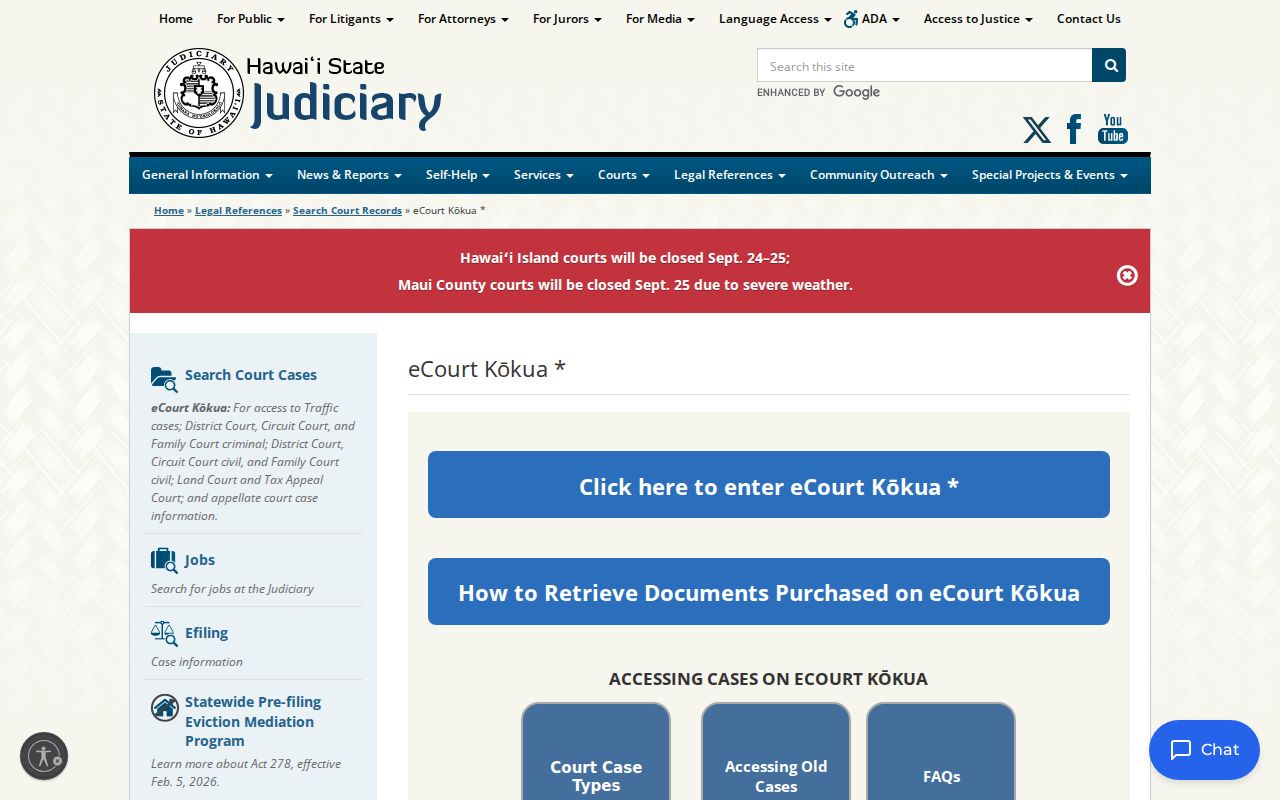
The Hawaii landing page holds the public entry control and lists which case groups can be searched. Tabs and their dropdown options can change. Use the current Judiciary screen as it stands.
The Hawaii Statewide Case Search
Begin at the official Hawaii Judiciary entry page. Pick the search mode that fits what you know. Then note the court and location the record returns. A name search can turn up more than one possible match, and the Judiciary says a name alone does not establish identity. A party ID or a complete Hawaii case ID narrows things when you have one. Case-type and court-location dropdowns depend on earlier selections, and the manual does not publish every live choice.
- Open the Hawaii eCourt Kōkua link from the Judiciary site and choose Party Search, Vehicle Search, Case Search, Filing Date Search, or Upcoming Court Hearings.
- Enter the known name, party ID, Hawaii case ID, citation, plate or VIN, or filing-date criteria in the matching search mode.
- Use the live court, location, and case-type selectors where that screen offers them. A filing-date search requires a start and end date no more than 60 days apart.
- Review the Hawaii case ID, court, location, type, title, filing date, and status before opening case details. Check any related-case link separately.
- Use the case record and filed notice to confirm a result. For a copy or official record, follow the clerk route described below.
The current Hawaii eCourt Kōkua external user manual names these search fields and controls. Optional is not the same as universal. A field may sit empty on some cases or stay closed to some users.
| Field label | Type | Required | Notes |
|---|---|---|---|
| Search For | Radio or selection | Yes, choose a search type | Person or Business/Government Agency. |
| Last Name; First Name | Text | Yes for a person | Partial Search changes Hawaii name matching; a result does not confirm identity. |
| Middle Name; Phonetic Search; Partial Search | Text and checkboxes | No | Optional fields or controls where shown; the manual does not state the exact phonetic logic. |
| Business/Government Agency name | Text | Yes for an entity search | Optional phonetic, partial, date, and case-type filters may also appear. |
| Party ID | Text | Yes for Party ID search | Use the Hawaii Judiciary/JIMS identifier when it is known. |
| Case ID | Text | Yes for regular Case Search | Preferred full case identifier; current and migrated formats differ. |
| Citation Number | Text or alternate identifier | Depends on selected mode | Enter it as printed; a fresh traffic citation may not appear until court intake is complete. |
| Application Number; Arrest Number | Text | Optional | Alternate case-specific identifiers named in the manual; they are not populated or useful for every public case. |
| TCT Number; OTN; SID | Text | Optional | TCT applies to Land Court where relevant; other identifiers are system-specific and may not be public search keys. |
| Beginning/Ending Case Filing Date | Date | Optional | Can narrow a Hawaii case search. Filing Date Search requires a range no longer than 60 days. |
| Plate Number; Vehicle Identification Number (VIN) | Text | Required for the selected vehicle mode | Vehicle search is for traffic cases and is not a certified traffic abstract or driver-history record. |
| Court Type; Court; Location; Room/Division; Case Type | Dropdown or selection | Required or optional by screen | Choices depend on earlier selections. The manual does not publish a complete option list. |
| Search/Reset; CAPTCHA | Buttons and challenge | CAPTCHA when shown | The Search control runs selected criteria in Hawaii’s portal; Reset clears them. No CAPTCHA bypass is documented. |
| Results columns | Result table | Not applicable | Hawaii Case ID, Court, Location, Case Type, Case Title, Filing Date, and Status. |
Note: dropdown options vary by court and case type.
Hawaii Case Search and Circuit Codes
Recent Hawaii case IDs follow a hyphenated pattern. It applies to criminal cases created from January 23, 2017 and civil cases created from October 7, 2019. The general form holds one circuit digit, one court indicator, two case-type characters, a two-digit year, and a seven-digit sequence. Circuit digits run 1, 2, 3, or 5. There is no active Fourth Circuit. The historic Fourth merged into the Third in 1943.
The Judiciary manual gives format examples: 1CPC-17-0000001, 1CCV-19-0000001, and 1FDV-22-0000001. These show shape only. They are not links to live cases. Leading zeroes in the sequence may be left off in the search box.
Older migrated Hawaii IDs look different. They can stretch to 12 letters and numbers without hyphens, and some very old numbers carried only one to five digits. Judiciary guidance says to add the circuit digit and case-type code, then pad zeroes as required. If the converted form is unclear, ask the clerk to identify the correct ID. Changing characters at random is a bad fix.
Searching by Case Number
A full Hawaii case ID is the quickest way in. Type the hyphenated format exactly as it appears on a recent notice. Older migrated numbers go in just as the Judiciary's guidance requires. For traffic matters, a citation number may work instead. Never squeeze an old case into the new pattern. When the number is unclear, the circuit, court type, year, and sequence help. They tell records apart.
A format is a locator, nothing more. A criminal example like 1CPC-17-0000001 signals a circuit. It also marks a case classification inside the identifier itself. It says nothing about a charge or an outcome. Search results also list court and location. Use those details to confirm the number belongs to the intended Hawaii file.
Sometimes a notice shows a citation but no JIMS case ID. Search the citation as printed. Allow for the court's processing delay. If an old migrated ID fails, contact the Hawaii branch that holds the record. Ask for the current searchable form.
Note: a case-number example shows format only. It is not a real case record or a link to a live file.
Hawaii Case Results Stop at the Index
eCourt Kōkua hands back Hawaii case metadata plus links to the case-detail screens. Each Hawaii result may open into a summary, a party list, an event schedule, docket entries or minutes, and, for a criminal case, an Offenses tab. The result list itself shows Case ID, Court, Location, Case Type, Case Title, Filing Date, and Status. You see 20 rows to start. More come through the Hawaii portal's controls. Filing Date and calendar searches add a Printable View.
A Hawaii docket is only an index. It lists events, filings, and actions in order, never the full court file. A PDF icon on a docket line means you can buy that document online. No icon just means no online image is offered. The Hawaii clerk may still hold a copy. And a paid search or purchase never unlocks sealed or confidential material.
What a Case Search Returns
Hawaii's public case detail splits information into separate pieces. Read the Hawaii case header first. Then work through the tabs for parties, scheduled events, and docket lines. A result can summarize a case while saying nothing about the contents of a filed document, an audio record, or an exhibit.
| Case description | Hawaii case ID, type, status, last updated date, filing date, court, and location. |
|---|---|
| Parties | Hawaii party names or aliases, party ID, party type, sequence, association, and end date where listed. Similar names do not prove identity. |
| Events | Future and completed Hawaii settings, sometimes with an appearance disposition. The Events tab places the newest event first. |
| Docket and minutes | Entries about Hawaii court filings and actions taken in court. An attached PDF may be available for separate purchase. |
| Related cases or bond | Summary may link a related matter or display bail/bond information when applicable. |
| Offenses | A criminal-case tab listing associated charges; the civil screen does not have this tab. |
Hawaii's electronic result works well for one job. It locates the right case and checks its public docket status. The exact filed instrument sits with the court. For an official copy, that Hawaii filing is the source.
Once you have the case, see Court Records for request options.
Note: Events display newest first. Docket lines may run in a separate sequence. So read each Hawaii case timeline in context.
Hawaii Case Search Has No County Filter
Hawaii's public search has no county dropdown and no county portals. The Hawaii interface sorts by court type, court, location, and, in calendar searches, an island selection. Five county destinations sit under Hawaii's four active judicial circuits. One circuit can span several counties or islands. Maui's Second Circuit, for example, takes in Maui, Molokaʻi, and Lānaʻi. So the Hawaii case location tells you more than a county name ever will.
Counties is a practical route to Hawaii Judiciary location information. It is not proof of county-run searches. It does not show that each county runs its own search database or elects a state-court clerk. Start with the Hawaii court and location printed in the case ID or notice. Missing those? Use the Judiciary court-location and contact directories to find the branch handling the case.
Statewide vs County Case Search
Hawaii's search layer and the clerk's official file do different work. The county directory points you to a Hawaii Judiciary court location. It never changes which office keeps the case record. The Hawaii State Judiciary is unified. Hawaii Legal Documents Branches hold the trial-court records, and appellate clerks keep the appellate files.
| Record layer | What it provides | Where the authoritative file sits |
|---|---|---|
| eCourt Kōkua statewide index | Hawaii public search, case identifiers, court/location, selected case details, events, docket lines, and eligible online documents. | Public reference information from Hawaii Judiciary case systems; not a certified full case file. |
| County directory route | A geographic way to find Hawaii Judiciary court and branch contacts relevant to the reader’s area. | It is not a county-operated Hawaii case portal or a separate county clerk’s docket system. |
| Court clerk’s case record | Filed documents, official Hawaii docket entries, minutes, older paper or microfilm items, and certified copies through the proper process. | The Hawaii court’s Legal Documents Branch or the appropriate appellate or specialized clerk. |
Need a Hawaii file-stamped document or certified copy? Contact the clerk for the Hawaii court that heard the matter. A statewide index result helps you name that court. It does not replace the official Hawaii record.
When Hawaii Case Search Returns Nothing
A blank Hawaii result does not always mean no case exists. Check the Hawaii identifier first. Then review the court selection and any age or privacy rules attached to the record before changing the search at random.
- Check the Hawaii circuit digit, hyphens, case-type code, and leading sequence zeroes. For a migrated number, use the Judiciary’s older-case instructions or ask the clerk to convert it.
- Confirm that the selected Hawaii court and case type match the notice. Dynamic Hawaii dropdowns may change with earlier selections.
- For a new Hawaii traffic citation, allow time for court intake and entry into JIMS before treating no result as final.
- Consider whether a Hawaii Family Court, juvenile, sealed, or other restricted matter is withheld from public search.
- Separate missing Hawaii case information from a missing PDF. The case can appear even when an older document is outside the online image date range.
Still unclear? Use the county directory to find the Judiciary area, then contact the Legal Documents Branch listed for that court. Hawaii offers no single county portal as a fallback.
Access and Restricted Cases
Hawaii court case access runs on the Hawaiʻi Court Records Rules. Unless a statute, court rule, or order restricts a record, the information is public. Electronic access grants no new legal right to confidential material. Juvenile cases, protected Family Court matters, sealed documents, and in-camera filings can be hidden or masked. In-camera filings are items a judge reviews privately. Hawaii Family Court is not uniformly closed. Never assume every family case is public or private.
The Judiciary's information cutoffs also differ from its document-image cutoffs. For Hawaii case information, the published limits cover Traffic cases before November 1995. They also cover District Court criminal cases before August 2012 and appellate cases before September 2010. On the document side, limits reach District civil filings before October 7, 2019. Circuit civil filings cut off before October 28, 2019. Land and Tax Appeal documents before November 18, 2019, and Family civil documents before April 25, 2022, face limits too. Older records may still sit in a Hawaii courthouse on paper or microfilm.
Hawaii access rules: Hawaiʻi Court Records Rules govern access limits, inspection and copying requests, and redaction of protected identifiers. Hawaiʻi Revised Statutes §571-84 sets confidentiality protections for juvenile proceedings and records. Adoption and child-protection files have additional limits.
Hawaii eCourt masks sealed and privately reviewed docket lines; their documents are not offered for purchase. Ask the clerk about access to a sealed item. The Hawaii State Law Library sealing FAQ explains the difference between sealing a court record and expunging an arrest record.